UXR
IA
UX STRATEGY
ARTS & CULTURE
Client
Textile Museum of Canada
Academic Project
Oct - Nov 2023
Team
Team of 4 UXers
Tools Used
OptimalSort, Miro, Figma
The Challenge
The initial request to our MI cohort was broad: "Fix the architecture." The museum needed to make ticket sales, donations, and archived events easier to find, while also highlighting the return of in-person and hands-on programs post-pandemic.
The focus of this project is to redesign the website's information architecture and navigational design to promote the museum's values better and showcase information for their targeted audiences in an accessible way.
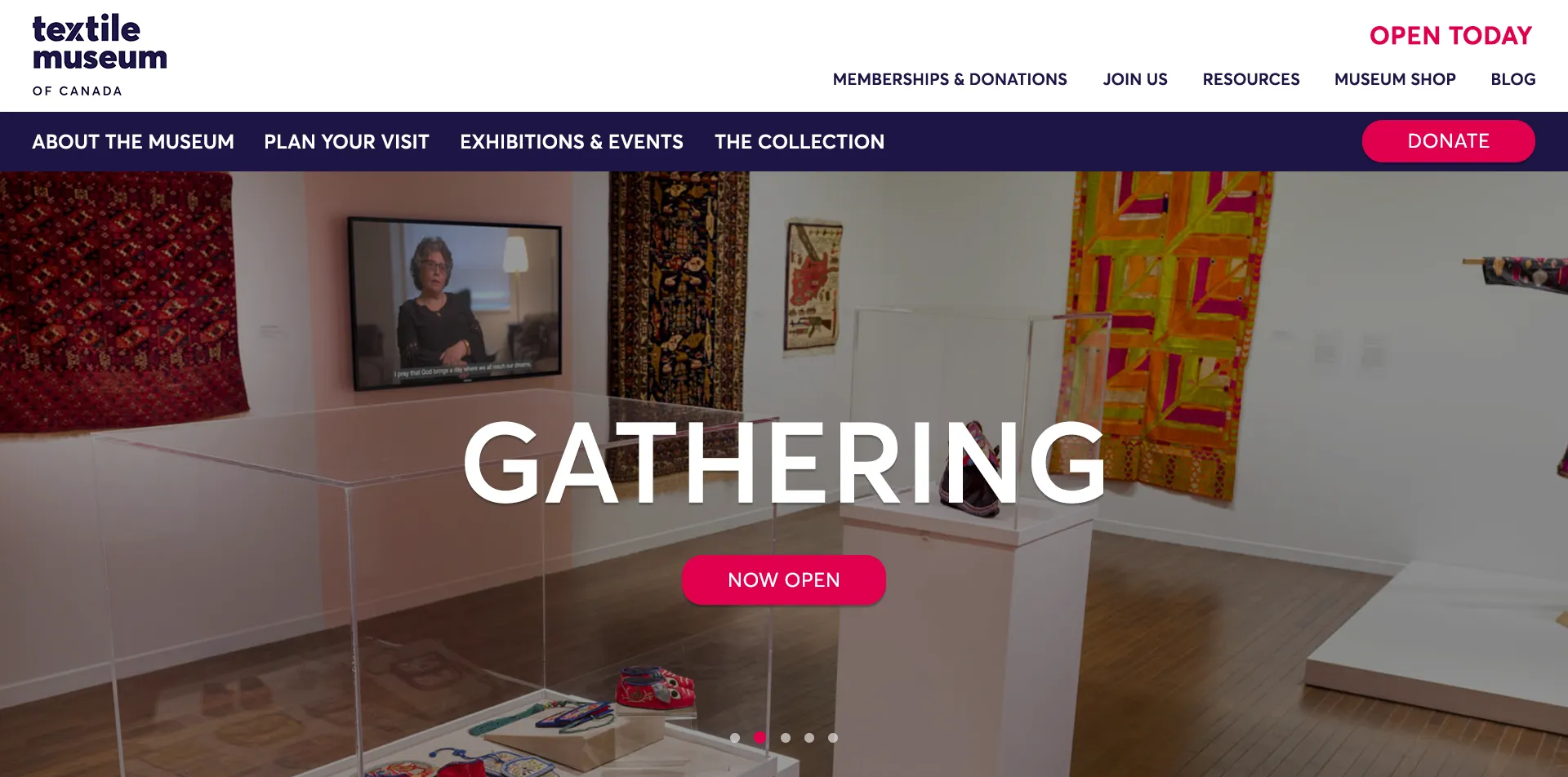
Pictured Above: The Current Navigation.
What We Did
We tested new users to isolate structural flaws from existing workarounds. Our data confirmed that a lack of context, not jargon, hindered user navigation.
While other groups working on this project suggested a Mega Menu UI, we focused on verifying the underlying architecture first. This approach ensured that improvements were attributed to logical flow rather than UI changes.
• 4-10 categories created on average by participants, showing diversity in content organization.
• Key page (“Visit”) lacked a clear call to action to encourage visitors to book tickets or explore membership options.
• 30% of test users located the Collection Gallery under Explore.
• 40% of test users were confused by “Ways to Donate” & “Donate Your Textiles” - We proposed renaming the latter label to “Making a Textile Donation”
The Solution
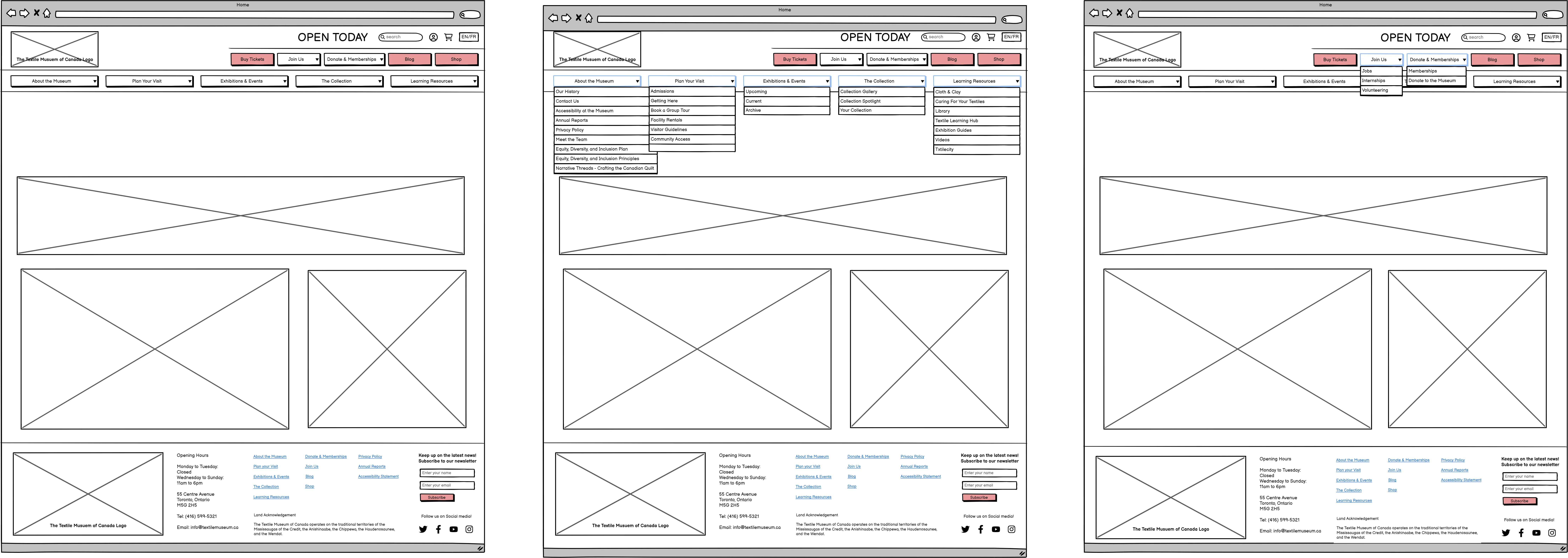
Phase A (Validation): Implement the New IA labels within the existing menu design to reduce UI bias.
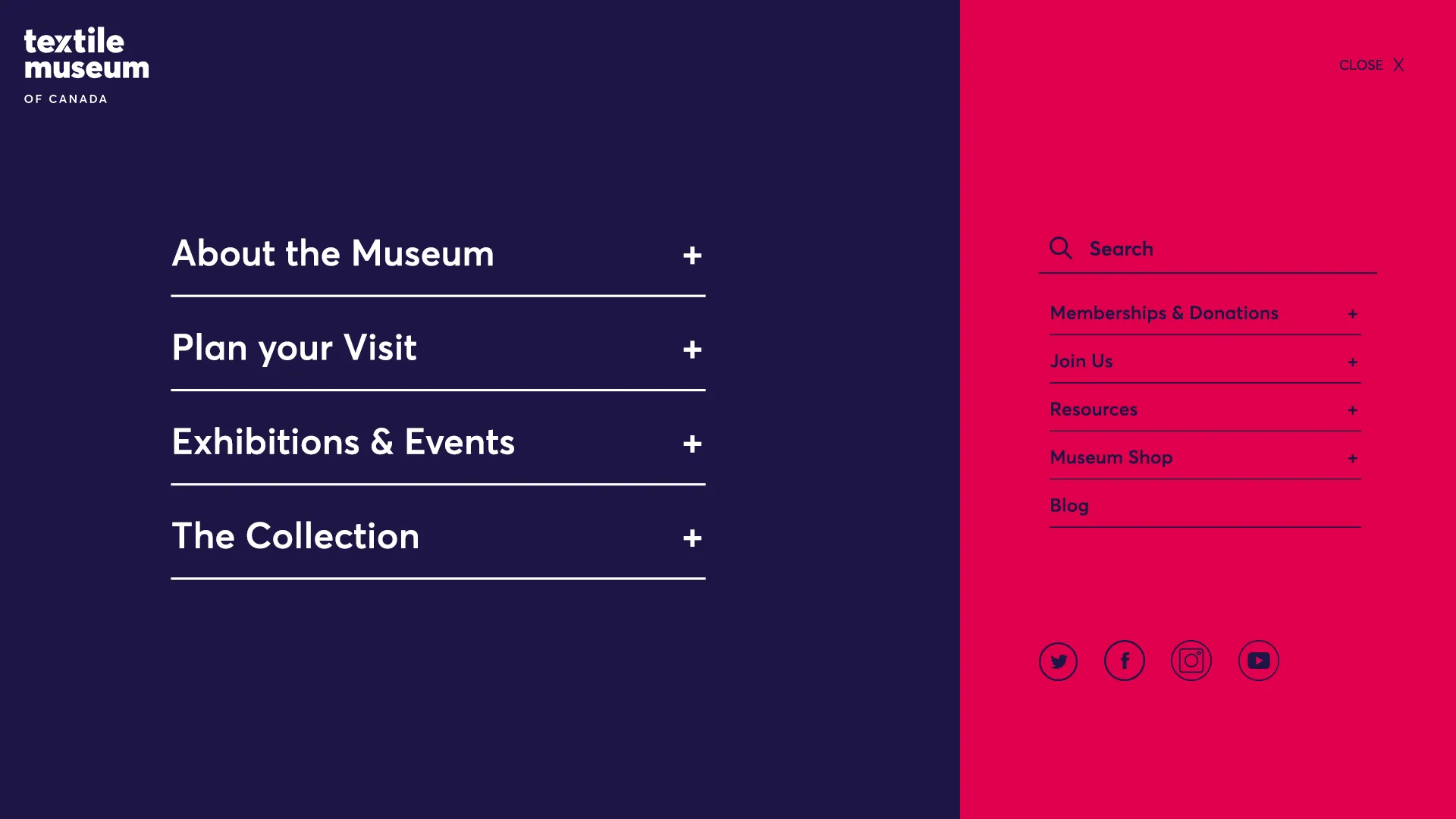
Phase B (Optimization): Once the IA is validated, roll out the Mega Menu UI.
To demonstrate the feasibility of the strategy, my team and I worked on the low fidelity. I worked solo on the high fidelity for the website.
Click on the image to scroll through the menu in action.
“Loved giving us multiple options; to give us a short-term solution, really thoughtful for our current situation.”
-- Textile Museum Board CEO feedback