floating image button

UI/UX

MOBILE APP DESIGN

FIGMA

ARTS & CULTURE

Ticket Discoverability App
Structuring Information Flow for Cultural Access

Client

Academic

Academic Project

Oct - Dec 2023

Team

Team of 6 UXers (2 UIDs)

Tools Used

Figma

Like most academic group projects, I was sorted into a group on random for my UX Design Fundamentals course. Luckily all of us were passionate about the Arts. Therefore, our group decided to focus on the Arts and Culture domain, the GLAM sector in particular.

The focus of this project was to create a solution (either physical or digital) to solve a public sector issue. We opted to create a solution that catered to Event Discovery, which is a very important part of running a GLAM organization.

The Challenge

Toronto Residents struggle to book GLAM events due to systemic information fragmentation.

Our Solution: We aimed to centralize discovery via a mobile app, simplifying access to GLAM discounts and events.

Market research showed us that while Free and discounted admissions do exist, they remain underutilized. We surveyed 42 participants (36 valid responses) and conducted 12 in-depth interviews to understand how people discover tickets.

Our focal questions were:

1. How can museum admission information be made more visible?
2. How do people feel about ticket prices?
3. How aware are they of discount programs?
4. How do accessibility and affordability influence attendance?

Market Research Findings

• ▲ CA$ 30.00+ (Ticket prices) at major museums like the ROM and AGO, limiting attendance and audience reach.

• 350,000 ▼ was the attendance at The ROM in 2022, compared to 1.2Mn in 2019, suggesting post-pandemic challenges.

• Many Torontonians are unaware of free admission times because the information is scattered across sources.

Primary Research Findings

• 25 of 36 Survey Participants find ticket and discount information online, showing demand for easily accessible content.

• 18 of 36 Survey Participants would visit the museum more frequently if discount information were easier to access.

• 6 of 12 Interview Participants identified challenges in accessing discount information, highlighting usability issues.

Key Insight

If awareness is the problem, the solution must centralize discovery.

User Story

  1. Mary, the Museum-Goer is a busy student who tries to visit museums whenever she can.

  2. She finds discounted tickets frustrating to locate, and the effort often outweighs the benefits.

  3. This difficulty sometimes causes her to exceed her budget, limiting her museum visits.

Her experience mirrors the challenges many Torontonians face, highlighting the barriers to affordable GLAM access guiding our Product design process. To convert insights into features, I created an Impact vs. Feasibility matrix to prioritize ideas.

Mary, the Museum Go-er

Design Directions

1. Ensure Ease of Access: Mary needs one-stop access to all available deals.
2. Enable Plan & Share: Mary and her friends plan their visits together and in advance.

After this we (team member Rebecca, primarily) designed task flows, ensuring Mary could transition from finding a deal to planning her visit.

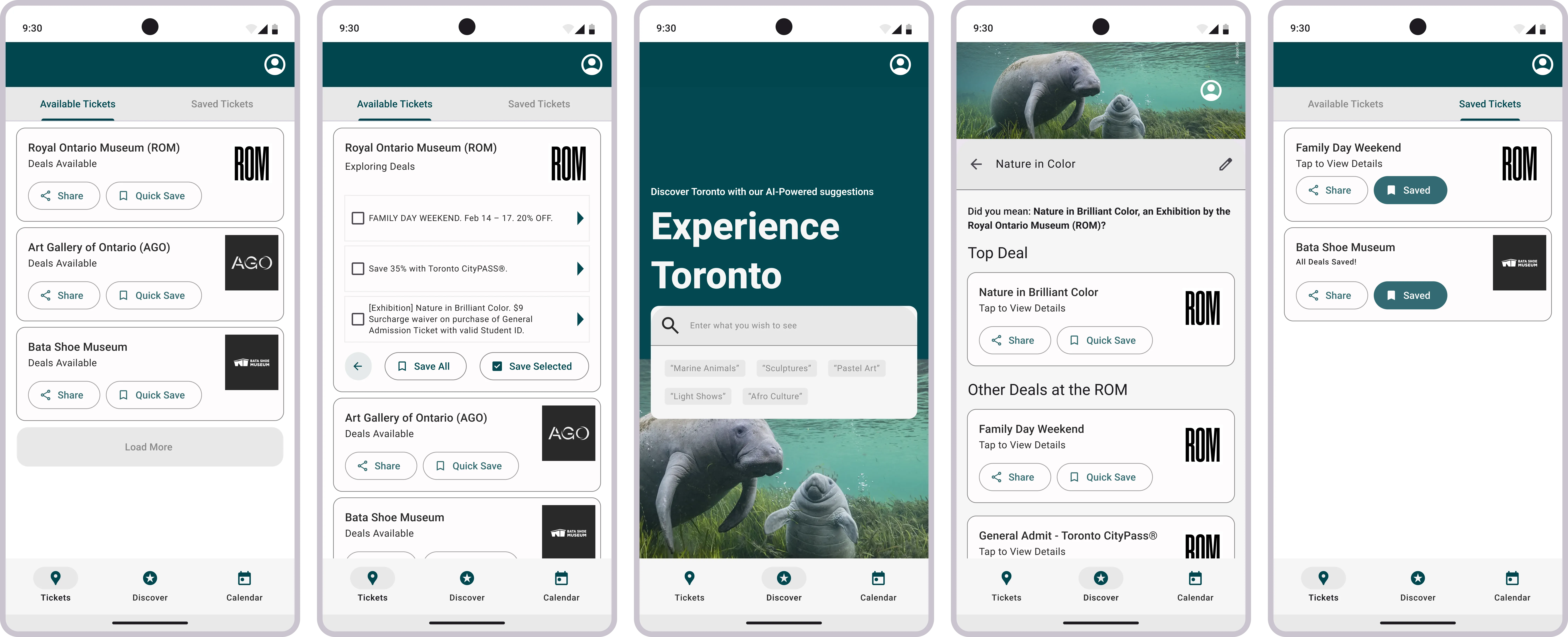
We (Myself and team member Kyle with verbal input from other group members) designed it in Figma during a virtual group working session. View Low-Fidelity Designs here - Home, Discover Page, and Card Component, and its variant.

The final requirement for our project was to make a low-fidelity prototype that was later presented to a panel of senior UX researchers during our course INF1602 Design Playback sessions.

Photo by Brian C., Fellow Coursemate. Pictured Above (From L-R): Presenting our Prototype - Rebecca Ding, Quinn Kavaner, Ankush Sood, and Myself.

Pictured Above (From L-R): Ticket Discoverability App project team members and our UXD Professor - Vivian Zhang, Rebecca Ding, Ankush Sood, Prof. St-Cyr, Kyle Thomas, Quinn Kavaner, and Myself.

Beyond Academics

After the course ended, I revisited the UI design stage individually using the feedback.


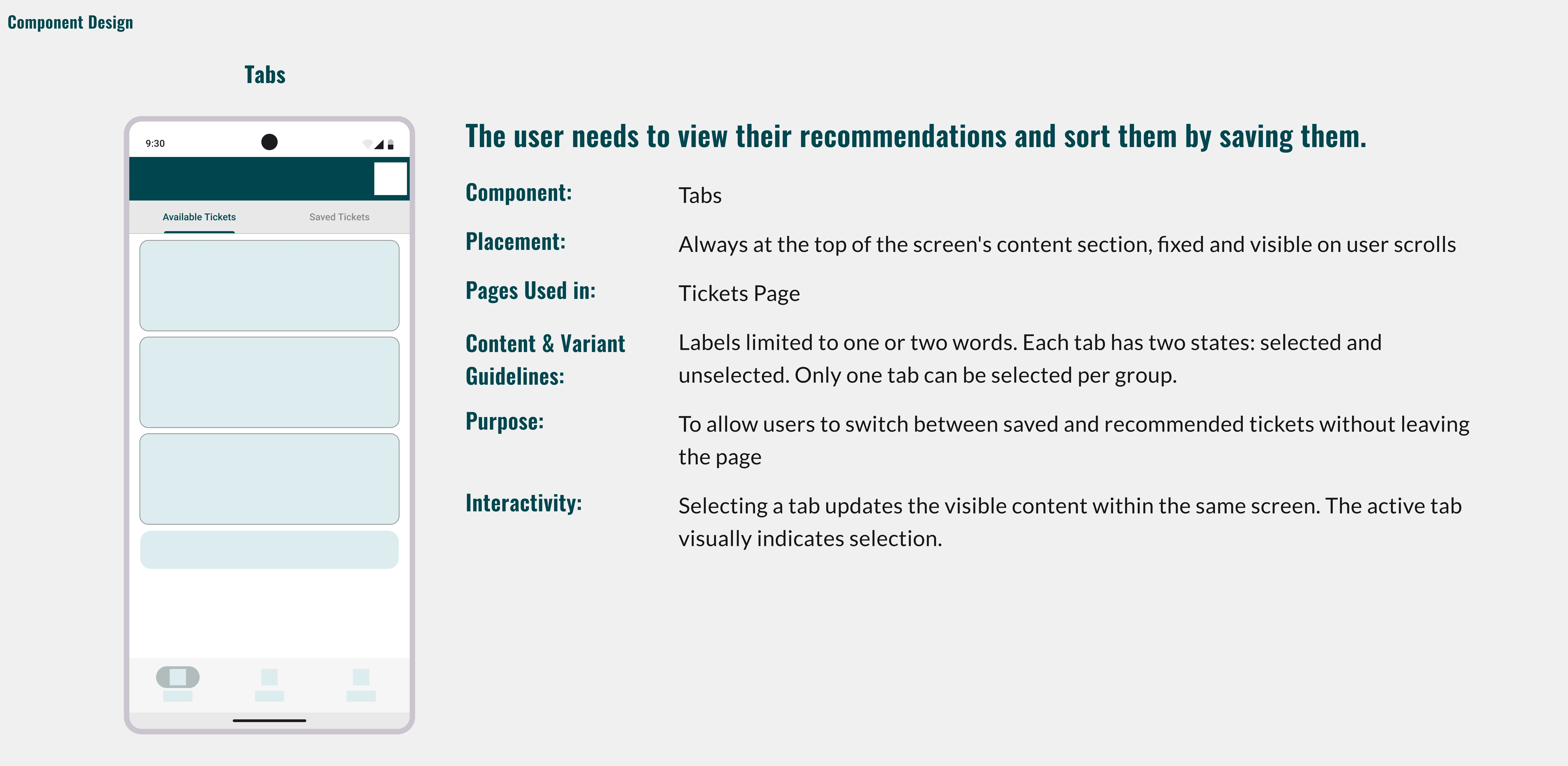
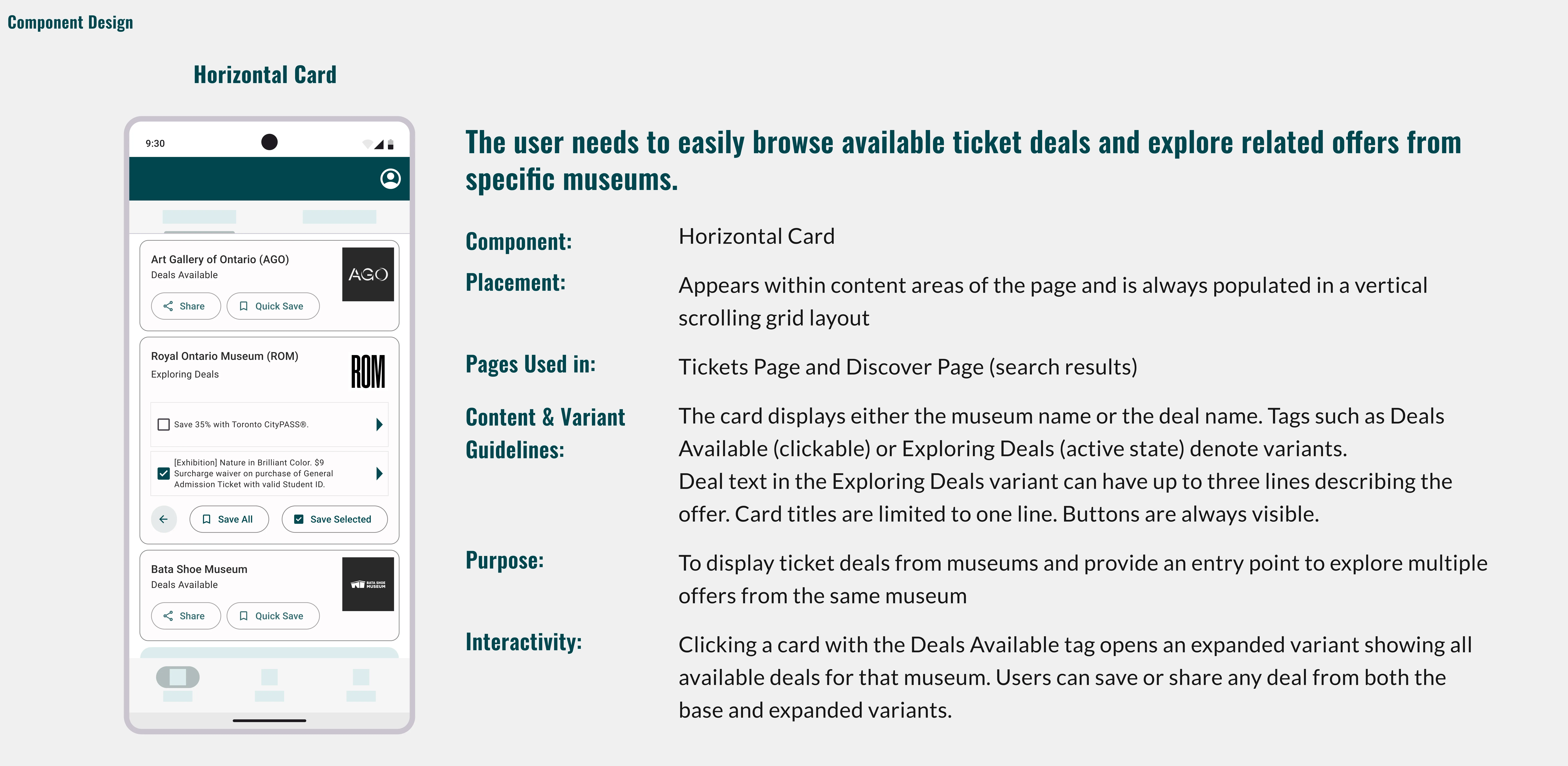
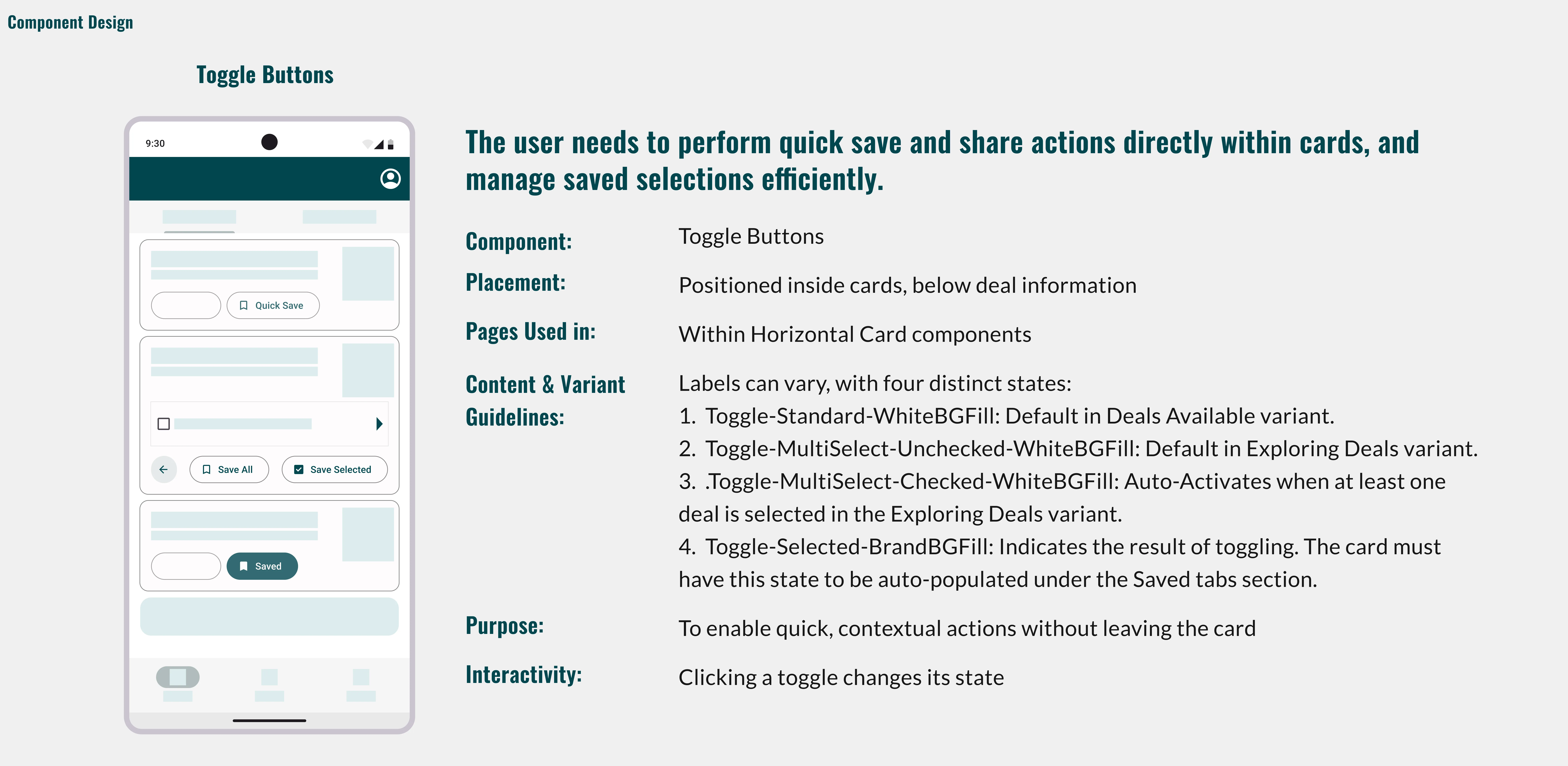
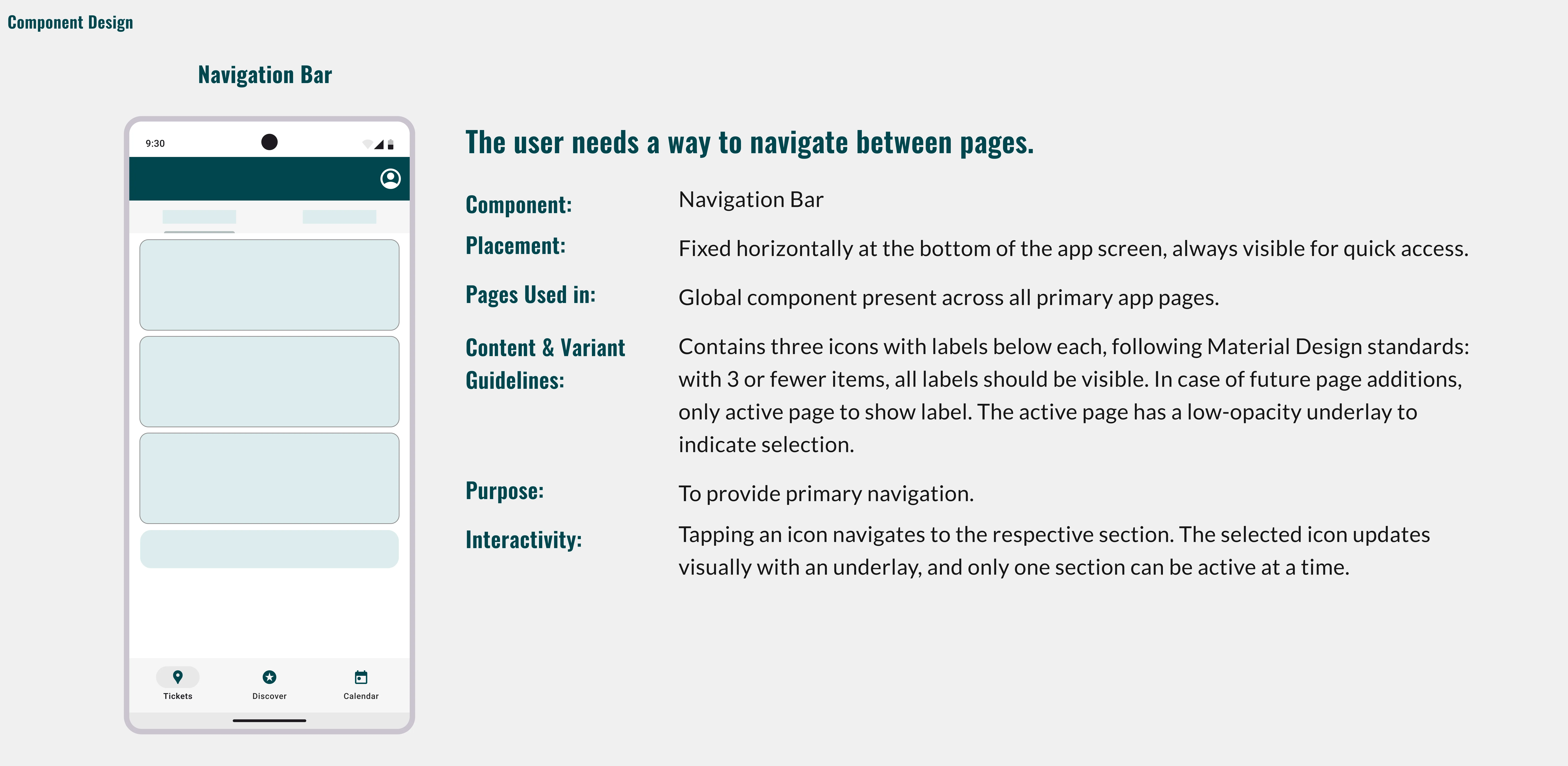
Component Design

The component design focuses on high readability to help users plan visits effortlessly.


What I Learned

Mary, the Museum Go-er, (our persona) guided the design from the start. She expressed her wants clearly: “I want to know where the discounts are,” “I want my friends to come with me,” “I want it easier on my phone.”
Her actual needs centered on clarity and quicker planning. We planned features like a unified feed, calendar-based planning, and effortless sharing. But this wasn't us translating her wants into needs, they were direct solutions to the mental barriers preventing her visits.
A clear learning moment came from the Discover section. While the Map feature in the low fidelity UI tested positively, it conflicted with Mary’s preference for less visual clutter and more direct answers.
Converting the Discover section into a search-first page simplified the experience and addressed her needs more effectively.

“I don't want to build an app whose functionality could be easily replicated in Google Maps as a plugin.”

-- Actual statement I made during this project.